 Tianze-Chen
a56706c9ad
* Add UIMesh component for custom 2D mesh rendering

- Add UIMesh component consuming pre-baked vertex/index/segment data, enabling custom renderers (e.g. spine plugin) to batch through the 2D batcher.
- Export UIMesh from the 2d components index.
- Validate setMeshData input at the boundary (stride, buffer lengths, index values, segment ranges, accessor caps) via engine-standard errorIDs 9010-9017, documented in EngineErrorMap.md.
- Expose StaticVBAccessor per-chunk caps as maxVertexCount/maxIndexCount getters and clamp the 10% reserve to them, so meshes that fit (e.g. 30000 vertices) allocate instead of silently failing.
- Add tests/ui/ui-mesh.test.ts covering the 32767 cap boundary, setMeshData validation, and accessor lifetime.

Also takes over node transform and cascaded opacity: vertices are now always
node-local — UIMesh applies the node's world matrix (unbatched via the
per-draw GPU transform the 2D batcher already maintains for middleware,
batched by baking into the shared chunk copy so draws still merge) and folds
the cascaded UIOpacity into the copied vertex colors itself. The legacy
switches (USE_LOCAL / useLocalData / RenderEntity.setUseLocal) are all derived
internally; consumers never touch them. A JSB staleness poll re-prepares the
native draw infos in the same frame on transform/opacity changes, and a
premultipliedAlpha format declaration drives the opacity fold and the builtin
material's blend factors.

Follow-ups folded in: the opacity fold reads the light color at byte offset 20
(the pos*3f + uv*2f header is 20 bytes), not 16; and UIMesh notifies data
producers through the new onPremultipliedAlphaChanged() hook so subclasses
(e.g. the spine plugin) forward the declared format to their baker instead of
redeclaring the field.

Co-Authored-By: Claude Code <noreply@anthropic.com>

* Disable built-in spine by default; minor editor/build fixes

- Default the built-in Spine feature (spine-3.8) to off in feature cropping, so it is only included when enabled in the editor.
- Recognize scale as a valid spine atlas page attribute in the texture inspector.
- Skip incomplete platform dirs when bundling runtime adapters.

Co-Authored-By: Claude <noreply@anthropic.com>
(cherry picked from commit 7f7922aaf42ff1857f0a6d38970a75d303032f57)

* Export WebAssembly interface under cc.wasm namespace

- Add exports/webassembly.ts re-exporting pal/wasm (instantiateWasm, fetchBuffer, fetchUrl, ensureWasmModuleReady) as the public cc.wasm namespace, so extensions/game code can load their own .wasm files through the engine's platform-adaptive path.
- Expose it as a croppable feature rather than an unconditional export from exports/base.ts: cc.config.json declares a `webassembly` feature and editor/engine-features/render-config.json adds the panel entry (default on, required), so it appears under Project Settings -> Feature Cropping. The label/description are plain text on purpose — i18n:ENGINE.* keys live in the editor package and a custom engine cannot add them.

(cherry picked from commit 92003ab4a21b6ee753cf3ba2ca0f4767658e9cdc)

Co-Authored-By: Claude Opus 5 <noreply@anthropic.com>

* feat(simulator): generic native plugin discovery opt-in

The generic plugin discovery chain (cc_gen_plugin_cmake_hook ->
plugins_parser.js -> Pre-AutoLoadPlulgins.cmake -> find_package ->
plugin_registry) already exists and is what native device builds use; the
simulator never invoked it. Wire it in behind an opt-in cache variable, with
no plugin names or plugin logic in the engine — the plugin set is always just
the scan result:

- templates/cmake/common.cmake: cc_gen_plugin_cmake_hook()'s scan roots
  (CC_PLUGIN_PATH) may now be pre-set by the caller; the native-build
  project-layout defaults are unchanged when nobody pre-defines it
- simulator runtime-src CMakeLists.txt: -DSIMULATOR_PLUGIN_SCAN_DIRS="<dir>
  [;<dir>]" scans those roots for cc_plugin.json through the same chain as
  device builds (CC_PROJECT_DIR points into the build tree so the generated
  hook lands there, satisfying the parser's output-dir invariant); unset
  keeps the stock plugin-less simulator, and a cache variable means plain
  `cmake --build` reuses the configured scan
- simulator Game.cpp: call cc_load_all_plugins() after init, mirroring
  BaseGame::init(), so registered plugins' JSB bindings exist before any
  script runs (no-op when no plugins are linked)
- libsimulator protobuf config.h: skip the <hash_map>/<hash_set> defines on
  MSVC >= 1950 (headers removed); stubs fall back to the std::map emulation
  path

Verified end-to-end: a project extensions/ tree scanned at configure time
produces a simulator exe whose plugins register their JSB bindings at startup
(observed live in the simulator's JS context).

Co-Authored-By: Claude Code <noreply@anthropic.com>

---------

Co-authored-by: Developer <developer@cocos.com>
Co-authored-by: Claude Code <noreply@anthropic.com>
Co-authored-by: Engineer <engineer@cocos.com>


COCOS 4
COCOS 4 is an open-source, high-performance, cross-platform game and interactive content development engine. Built on a mature C++ architecture, it provides powerful rendering capabilities and flexible script bindings, supporting a "write once, run anywhere" philosophy.
Previously, Cocos Creator referred to the combined engine and editor, spanning versions 1.x, 2.x, and 3.x. To embrace a purely open-source model and fully integrate AI, we are separating the engine from the editor. This is a significant and necessary evolution. Moving forward:
COCOS will refer solely to the engine, with the major version upgrading to COCOS 4. The cross-platform framework and the core components of the editor will be converted to CLI tools and integrated into the engine's core functionality. This represents a major new addition to this open-source release.
Features
- Modern Graphics: The GFX implementation is designed to adapt to the modern graphics APIs, it uses Vulkan on Windows and Android, Metal on Mac OS and iOS, and WebGL on Web platforms.
- High Performance: The runtime engine is built with half C++ and half TypeScript, low-level infrastructure, native platform adaptation, renderer, and scene management are all written in C++ to ensure high runtime performance. We continue to move heavy lifting work to native as much as possible.
- Customizable Render Pipeline: The render pipeline is designed to be fully customizable, it has supported the builtin forward and deferred render pipeline across all platforms. Developers can customize their render pipeline following the same approach.
- Extensible Surface Shader: The material system is built on Coco's effect format which uses GLSL 300, the shader programs will be converted to a suitable runtime format automatically. The surface shader permits to fully customize the surface material while ensuring a universal lighting model.
- Physically Based Rendering (PBR): The standard effect adopts physically based rendering, along with the physically based camera and the lighting based on physical metrics, developers can easily achieve realistic and seamless rendering results across different environments.
- Easy TypeScript API: The user-level API set is provided in TypeScript, along with the powerful VSCode editor, development with Cocos Creator is incredibly efficient.
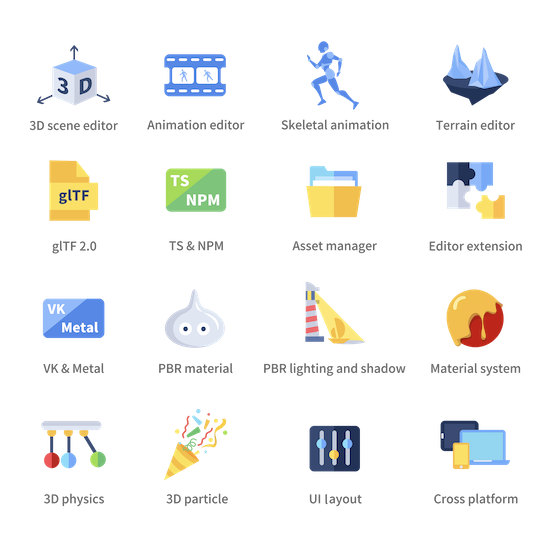
Besides all these highlights, COCOS 4 also provides a built-in animation system, physics system, particle system, terrain editing support, complex UI system, instant preview, etc.
Development and Contribution Notice
Cocos Creator engine is open source and welcomes community participation, for open source engine development with Cocos Creator editor, you should fork this repository and setup custom engine in the editor.
Prerequisite
- Install node.js v9.11.2 +
- Install gulp-cli v2.3.0 +
Clone
Clone this repository into your local environment.
Install
In the cloned engine folder, run the following command to set the development environment:
# download & build engine dependencies
npm install
This is all you have to do to set up the engine development environment.
Build
- If running inside Cocos Creator, the engine will automatically compile and build after the editor window is opened. For more instructions on modifying the engine in Cocos Creator, please refer to Engine Customization Workflow.
- Outside the editor, you need to run the following command to build:
npm run build
Please refer to native readme if you want to develop native applications.
Contribution
You can contribute to the Cocos Creator open-source engine in many ways, they are very much appreciated:
- Report bugs or feature requests by creating an issue.
- Participate in discussions in the issues.
- Create a pull request if you have fixed or improved anything, or implemented any features.
- Improve the documentation with pull requests to the usage documentation repository.
- Help other developers in our Forum.
Contribution notice
If you are trying to make a pull request, some requirements must be met so that your pull request can be accepted:
- Follow our Cpp Coding Style Guide and TypeScript Coding Style Reference.
- Try to integrate ESLint and CPP auto fix tools in your coding environment.
- Link related issues or discussions in your pull request and clearly state the purpose of your pull request.
- Pass all automatic continuous integration tests.
- Request file owners or engine developers to review your pull request.
- Get one valid approval from the engine architects.
Example Project
- Mind Your Step 3D: Beginner's step-by-step tutorial project repo.
- Test Cases: Unit test scenes for every engine module.
- Example Cases: Simple yet expressive demo scenes for baseline testing and topic-specific case study.
- Awesome Cocos: You can find out other useful tools and show cases here.
Links
- Official site
- Download
- Documentation
- API References
- Projects and road map
- Forum
- Discord community: Search for Cocos in the Discover panel of Discord.