 pandamicro
12072ffc62
* support asset property preview (#11017)

(cherry picked from commit 85769cf8f81459b5ad98ccab4138420009572a32)

* show mesh asset thumbnail (#10981)

* V3.5.1 noise particle (#11003)

* add cpu & gpu noise for particle

* add some params & change particle noise shader

* change shader

* add cpu noise particle

* add noise preview

* run generation when preview

* revert shaders

* remove unused statements

* add particle noise module

* change noise preview interface

* add invisible to remap

* remove get deltaTime

* set noiseModule private

* fix eslint

* feat: add noise preview (#11260)

* [Optimize] asset editing undo (#10779)

* edit render-pipeline

* support renderpipeline undo

* optimize material editing undo

* reset last record data

* temporary not support animation-mask undo

* support animation-mask edit undo

* animation mask remove _jointMasks

* Animation clip embedded players (#11320)

* Animation clip subregions

* Log

* Test

* Eval

* Update

* Update

* No longer use animation state to implement clip motion

* Clear subregions

* Fix

* Mark subregion as editor extendable

* Animation clip subregion player path

* fix isnan(0.0) with webgl1.0 (#11262)

* fix isinf(0.0)==true with webgl1.0

* code style

* fix specular params with surface toon (#11265)

* code format and add sliders for parameters (#11266)

* Broadcasting of animation state\'s speed

* Fix

* Rename

* Update

* Fix

* Revert "No longer use animation state to implement clip motion"

This reverts commit 20755f9ec525b27b5b9a515c8dd687349aa4c637.

* Revert some exotic changes

* Update docs

Co-authored-by: jk20012001 <jkregister@163.com>
Co-authored-by: 徐兵 <49358166+xubing0906@users.noreply.github.com>

* fix skinning model split (#11378)

* fix skinning model split

* rename function _resizeMaxJointForDS

Co-authored-by: zhakesi <zhakesi@foxmail.com>

* [ci skip][AUTO]: Automated genbindings update: d823cbba1f7ce8284da28458c26534da2e033961  (#11378) (#11383)

Co-authored-by: cocos-robot <cocos-robot@cocos.com>

* use stop emitting instead (#11381)

* add stop emitting api

* use stop emitting instead

* Update cocos/particle/particle-system.ts

Co-authored-by: Leslie Leigh (李的序) <leslieleigh@outlook.com>

Co-authored-by: Leslie Leigh (李的序) <leslieleigh@outlook.com>

* fix: imageData fault tolerance (#11374)

* fix: imageData fault tolerance

* chore: when data is an empty array,stop the function

* material  undo updating effects list (#11409)

* modify noise module ui (#11433)

* use visible decorator to control the visibility of property (#11438)

* fix joints data with value nan (#11489)

* V3.5.2 CI Android NDK  set version to 21 (#11448) (#11492)

* Minor improvement

* Fix format

* Fix particle culler

* Improve particle culler

* Manually migrate joint data upload with texture in skinning model

* Update shaders for skinning model based on joint texture

* fis native skinning model with realtime-texture mode (#45)

Co-authored-by: zhakesi <zhakesi@foxmail.com>

* fix clangtidy (#46)

* Small tweaks

* modify code struct for skinning model (#47)

* modify code struct for skinning model

* update skinning chunk

Co-authored-by: 黄森斌 <arsen2010@126.com>
Co-authored-by: zxx43 <zxx43@hotmail.com>
Co-authored-by: 袁炜海 <35713518+dogodo-cc@users.noreply.github.com>
Co-authored-by: Leslie Leigh (李的序) <leslieleigh@outlook.com>
Co-authored-by: jk20012001 <jkregister@163.com>
Co-authored-by: 徐兵 <49358166+xubing0906@users.noreply.github.com>
Co-authored-by: zhakesi <liqiao@cocos.com>
Co-authored-by: zhakesi <zhakesi@foxmail.com>
Co-authored-by: Cocos Robot <48829427+cocos-robot@users.noreply.github.com>
Co-authored-by: cocos-robot <cocos-robot@cocos.com>
Co-authored-by: Santy-Wang <wh19930829@qq.com>
Co-authored-by: zhangxin <59186205+chichinohaha@users.noreply.github.com>
Co-authored-by: 江战 <40414978+PatriceJiang@users.noreply.github.com>



Cocos Creator

Cocos Creator is the new generation of game development tool in Cocos family, it brings a complete set of 3D features and provides an intuitive, low cost and collaboration friendly workflow to game developers.
Cocos Creator inherited many good qualities and cool features from its previous versions, such as cross-platform support including instant gaming platforms like WeChat mini game, asset management, powerful animation editing, etc. Furthermore, Cocos Creator has pushed our technology to a whole new level. Our GFX implementation is designed to adapt to the latest graphic backend APIs, it already supports WebGL 2 and can be seamlessly fall back to WebGL 1, it will support Vulkan and Metal in the native build. The material system is built on our own effect format which uses GLSL 300 and can be easily adapted to lower version on low end devices. Developers can produce high performance, extremely expressive shaders with good compatibility. Along with physical based camera and lighting, high level game graphic can be easily achieved. Our pure GPU driven skeleton animation also make sure your game runs as smooth as possible. Besides all these exciting features, Cocos Creator have builtin physics support, terrain editing support, visual effect editing, ui system, TypeScript support, instant preview etc.
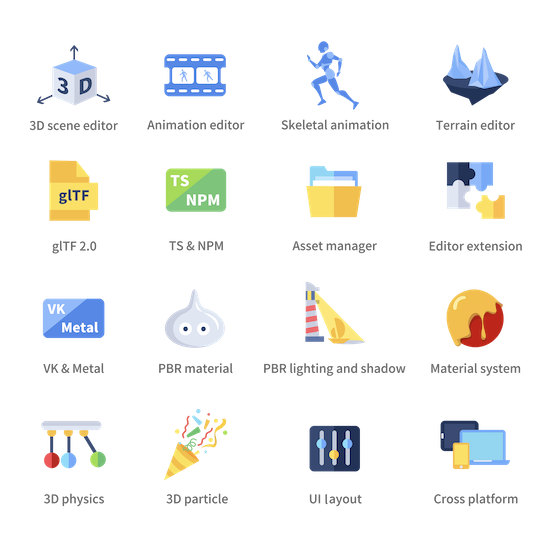
This repo is the engine part of Cocos Creator, it's mainly written in TypeScript and support users to use TypeScript or ES6 to write game logics. The engine itself is mostly self-contained, with full-fledged runtime modules including lighting, material, particle, animation, physical, UI, terrain, sound, resource and scene-graph management, etc. It supports both native and web platforms, including Windows, Mac, iOS, Android, Web. What's more exciting is that it supports rapidly expanding instant gaming platforms like WeChat Mini Game and Facebook Instant Games.
The engine is naturally integrated within Cocos Creator, designed to only be the essential runtime library and not to be used independently.
Developer
Prerequisite
- Install node.js v9.11.2 +
- Install gulp-cli v2.3.0 +
Install
In the cloned repo, run the following command to setup dev environment:
# download & build engine dependencies
npm install
This is all you have to do to setup engine development environment.
Build
-
If running inside Cocos Creator, the engine will automatically compile and build after the editor window is opened.
-
Outside the editor, you need to run the following command to build:
npm run build
Please refer to native readme if want to develop native applications.
Example Project
- Example Cases: Simple yet expressive demo scenes for baseline testing and topic-specific case study.
- Mind Your Step 3D: Beginner's step-by-step tutorial project repo.
- UI Demo: use cases for various kinds of UI components.
- Test Cases: Unit test scenes for every engine module.
Links
- Official site
- Download
- Documentation
- API References
- Forum
- Road Map: To be announced